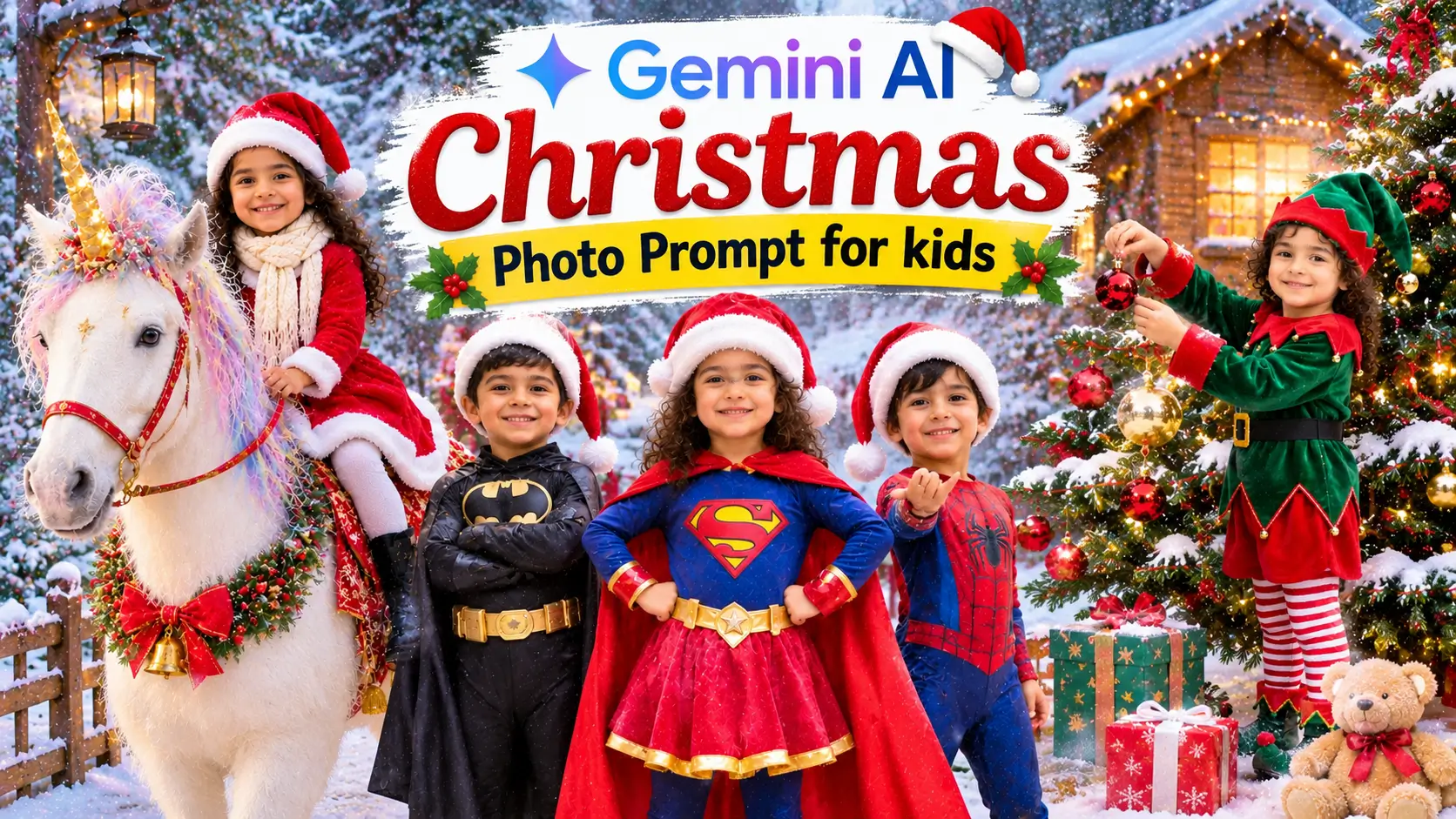
Make this Christmas more magical with adorable AI-generated photos of kids. In this article, you will discover 10 creative Gemini AI Christmas photo prompts for children, featuring magical snow globes, giant reindeer rides, colorful candy wonderlands, flying hot air balloons, cute polar bears, and fantasy unicorn adventures. Whether you want a cute Santa-inspired portrait, a dreamy winter scene, or a fun Christmas superhero look, these ideas can help transform ordinary children’s pictures into beautiful festive memories. Simply upload a reference photo, select your favorite concept, and use the prompts with Gemini AI to create personalized Christmas pictures.
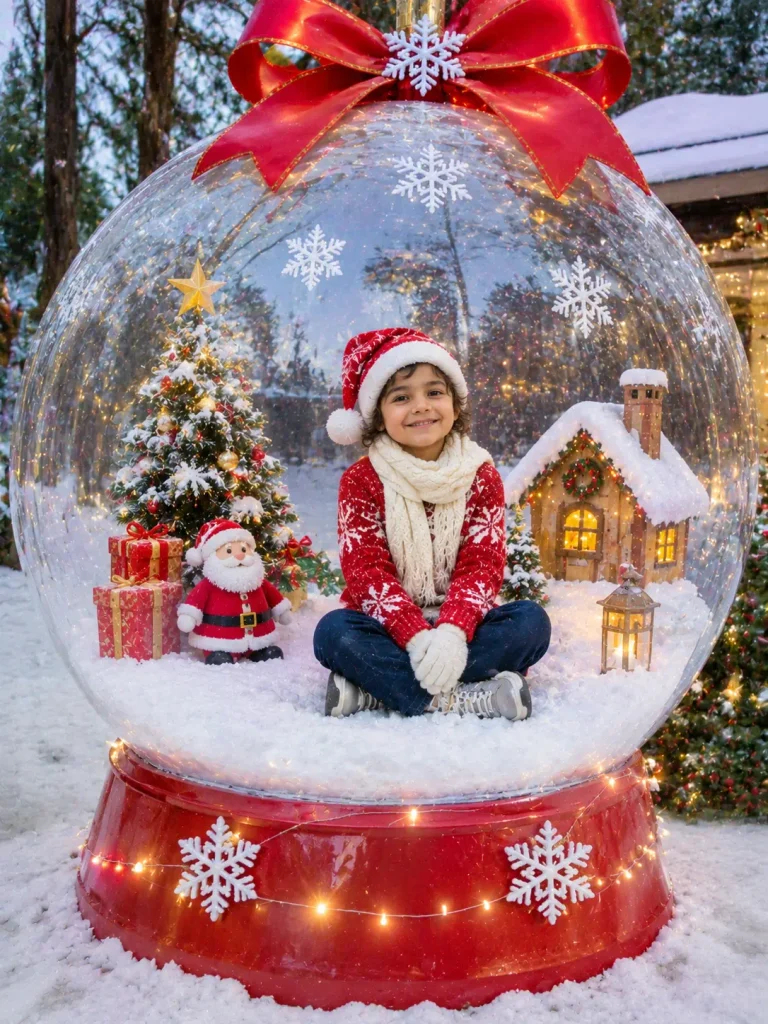
1. Giant Magical Christmas Snow Globe AI Photo Prompt for Kids
PROMPT
Create an ultra-realistic 8K Christmas portrait using the uploaded girl's photo as the identity reference. Preserve her exact facial identity, face shape, eyes, nose, lips, natural skin tone, and unique features without alteration. Show her sitting comfortably inside a giant transparent glass snow globe, wearing a cute red Christmas sweater, white woolen scarf, blue jeans, and a red Santa cap. Add a beautifully decorated Christmas tree, miniature snow-covered cottages, wrapped gifts, a cute Santa doll, artificial snow, and a few warm fairy lights inside the globe. Place the snow globe in a simple outdoor winter setting with snowy trees and a modest wooden house. Keep everything clean, realistic, and clearly visible in sharp focus, with no background blur, no luxury decorations, and no excessive lighting. Natural smile, realistic skin texture, authentic family Christmas atmosphere. Vertical 9:16, professional DSLR photography, photorealistic, original look.
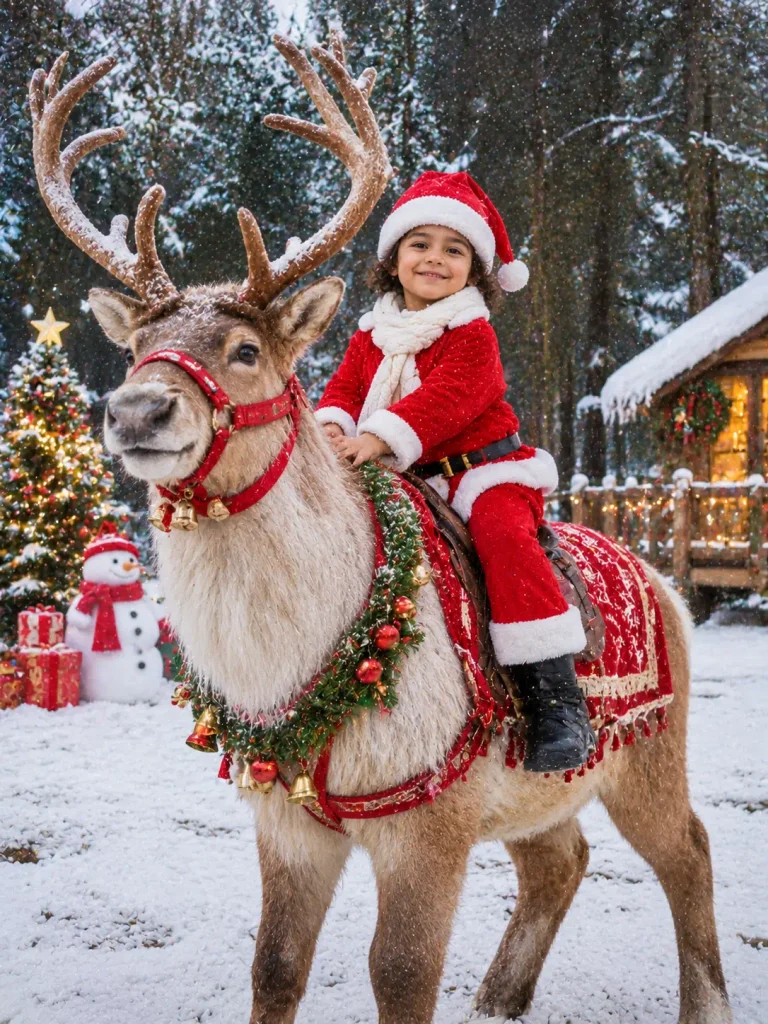
2. Giant Reindeer Adventure Christmas Photo Editing Prompt for Kids
PROMPT
Create an ultra-realistic 8K Christmas portrait using the uploaded girl's photo as the identity reference. Preserve her exact facial identity, face shape, eyes, nose, lips, natural skin tone, and unique features without alteration. Show her sitting gracefully on a giant, beautiful reindeer in a snowy Christmas forest, wearing a cute red Santa dress with white fur borders, a white woolen scarf, and black winter boots. The reindeer has realistic brown fur, beautiful antlers, a red festive saddle, and decorative golden bells. Add snow-covered pine trees, a modest wooden cottage, a decorated Christmas tree, colorful gift boxes, and a cute snowman in the background. Keep the entire scene clearly visible in sharp focus, with no background blur, no luxury decorations, and no excessive artificial lighting. Natural smile, realistic skin texture, authentic cozy family Christmas atmosphere. Vertical 9:16 composition, professional DSLR photography, photorealistic, clean and original look.
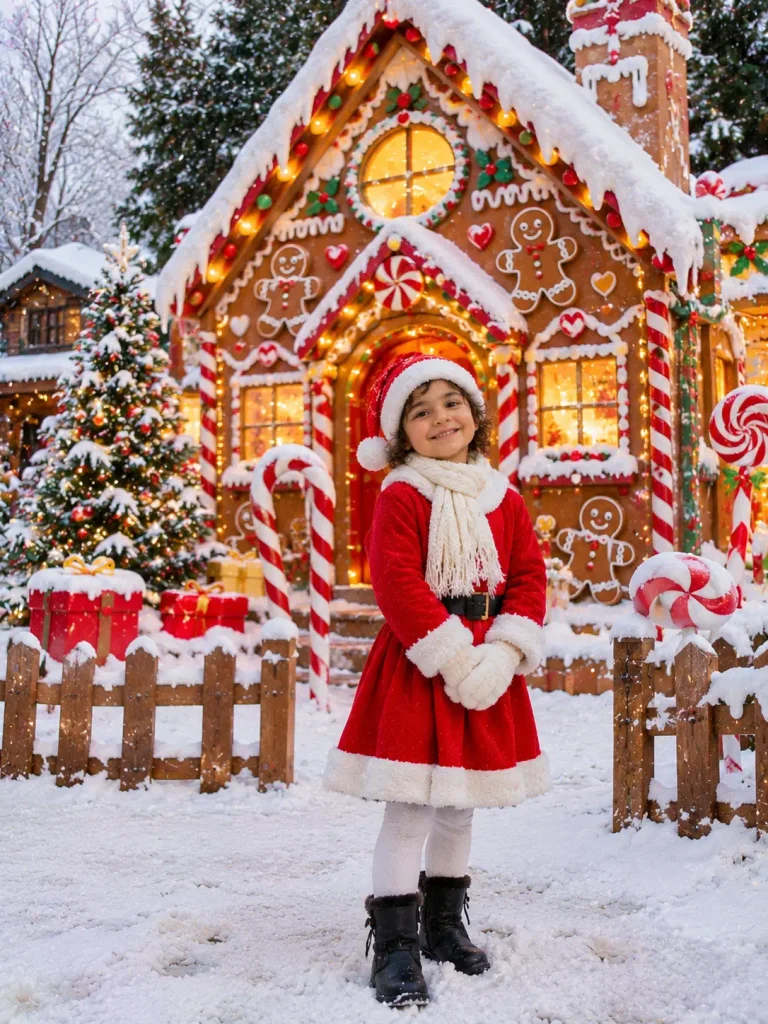
3. Giant Candy Christmas Wonderland AI Photo Prompt for Kids
PROMPT
Create an ultra-realistic 8K Christmas portrait using the uploaded girl's photo as the identity reference. Preserve her exact facial identity, face shape, eyes, nose, lips, natural skin tone, and unique features without alteration. Show her standing happily in front of a giant colorful gingerbread candy house, wearing a cute red Christmas dress with white fur borders, a white woolen scarf, red Santa cap, and winter boots. Surround her with oversized lollipops, candy canes, chocolate decorations, gingerbread figures, colorful sweets, wrapped Christmas gifts, and a beautifully decorated Christmas tree. Add a simple snow-covered village setting with wooden fences and pine trees. Keep the entire background clean, sharp, and clearly visible, with no background blur, no luxury decorations, and no excessive artificial lighting. Natural smile, realistic skin texture, authentic cozy family Christmas atmosphere. Vertical 9:16 composition, professional DSLR photography, photorealistic, clean and original look.
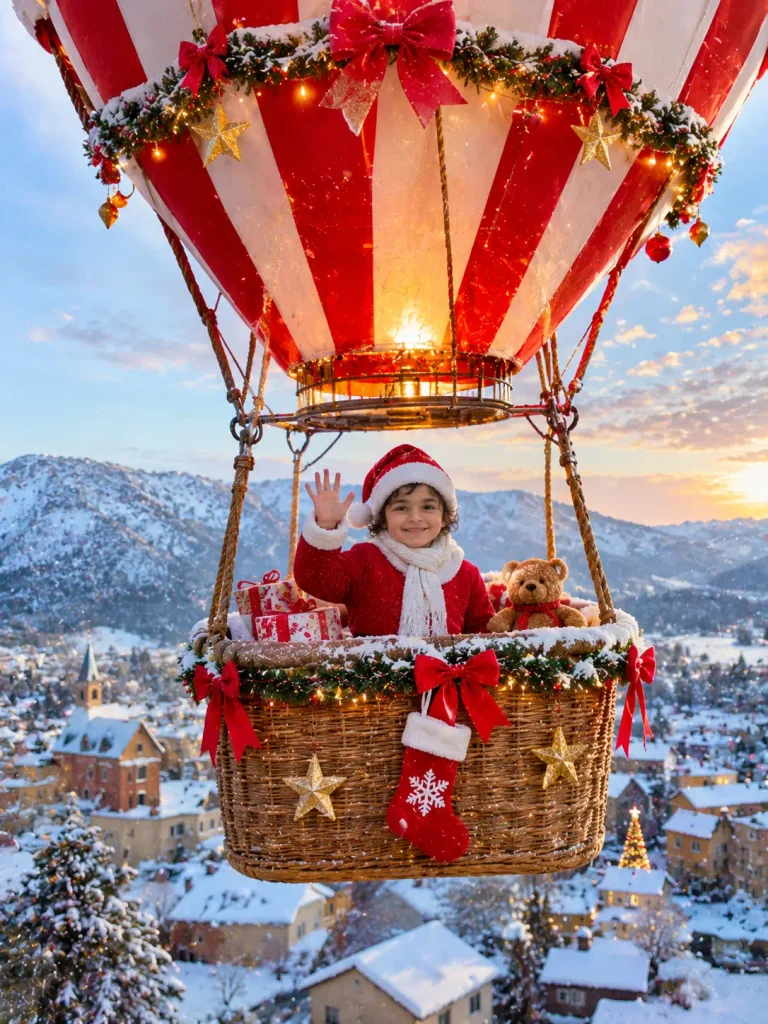
4. Flying Christmas Hot Air Balloon Photo Editing Prompt for Kids
PROMPT
Create an ultra-realistic 8K Christmas portrait using the uploaded girl's photo as the identity reference. Preserve her exact facial identity, face shape, eyes, nose, lips, natural skin tone, and unique features without alteration. Show her sitting inside a beautiful decorated Christmas hot air balloon basket, wearing a cute red Santa dress with white fur borders, a white woolen scarf, and a Santa cap. She is smiling naturally and waving at the camera. Add a giant red-and-white striped hot air balloon decorated with Christmas ribbons, small bells, green garlands, and golden stars. Below her, show a beautiful snow-covered village, small houses, Christmas trees, and distant snowy mountains. Keep everything clearly visible in sharp focus, with no background blur, no luxury decorations, and no excessive artificial lighting. Natural skin texture, realistic proportions, simple cozy family atmosphere. Vertical 9:16, professional DSLR photography, photorealistic, clean and original look.
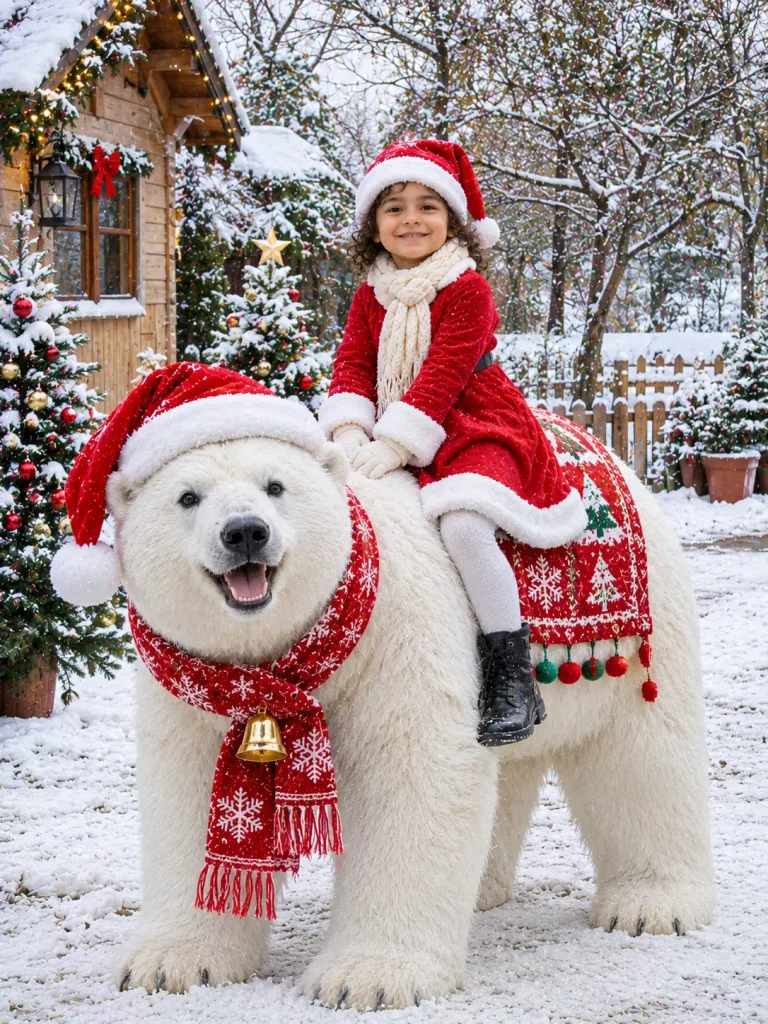
5. Giant Polar Bear Christmas Ride AI Photo Prompt for Kids
PROMPT
Create an ultra-realistic 8K Christmas portrait using the uploaded girl's photo as the identity reference. Preserve her exact facial identity, face shape, eyes, nose, lips, natural skin tone, and unique features without alteration. Show her sitting comfortably on a giant friendly white polar bear decorated with a red Christmas blanket, festive scarf, golden bells, and a Santa hat. She wears a beautiful red Santa dress with white fur borders, a white woolen scarf, and black winter boots. Add a snow-covered Christmas forest, small decorated Christmas trees, a simple wooden cottage, a snowy picket fence, and gentle snowfall. Keep the entire background sharp, clean, and clearly visible, with absolutely no background blur, no luxury setting, and no excessive lighting. Natural smile, realistic skin texture, authentic cozy family atmosphere. Vertical 9:16, professional DSLR photography, photorealistic, original look.
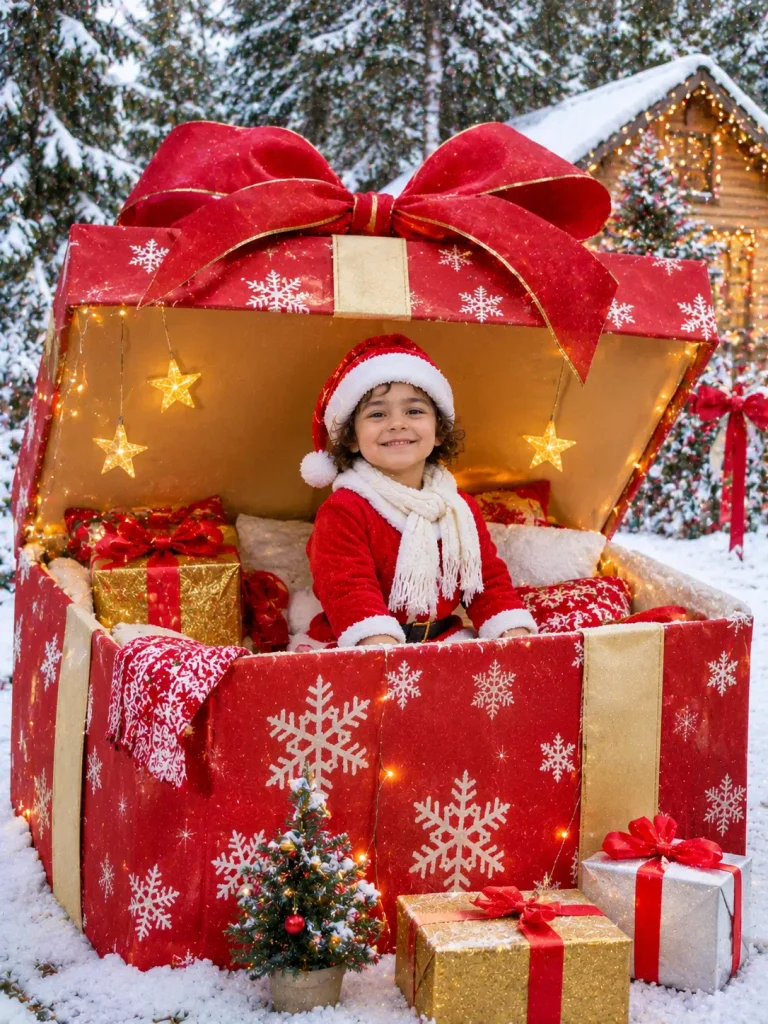
6. Giant Christmas Gift Box Surprise Photo Editing Prompt for Kids
PROMPT
Create an ultra-realistic 8K Christmas portrait using the uploaded girl's photo as the identity reference. Preserve her exact facial identity, face shape, eyes, nose, lips, natural skin tone, and unique features without alteration. Show her sitting happily inside a giant open red Christmas gift box decorated with a huge red ribbon, golden stars, and white snowflake patterns. She wears a cute red Santa dress with white fur borders, a white woolen scarf, and a Santa cap. Add colorful wrapped presents, small Christmas trees, a snowy wooden cottage, pine trees, and simple festive decorations around her. Keep the entire background sharp, clean, and clearly visible, with no background blur, no luxury setting, and no excessive artificial lighting. Natural smile, realistic skin texture, simple cozy family Christmas atmosphere. Vertical 9:16 composition, professional DSLR photography, photorealistic and original look.
READ ALSO: 10 Unique Christmas AI Photo Editing Prompts for Couples
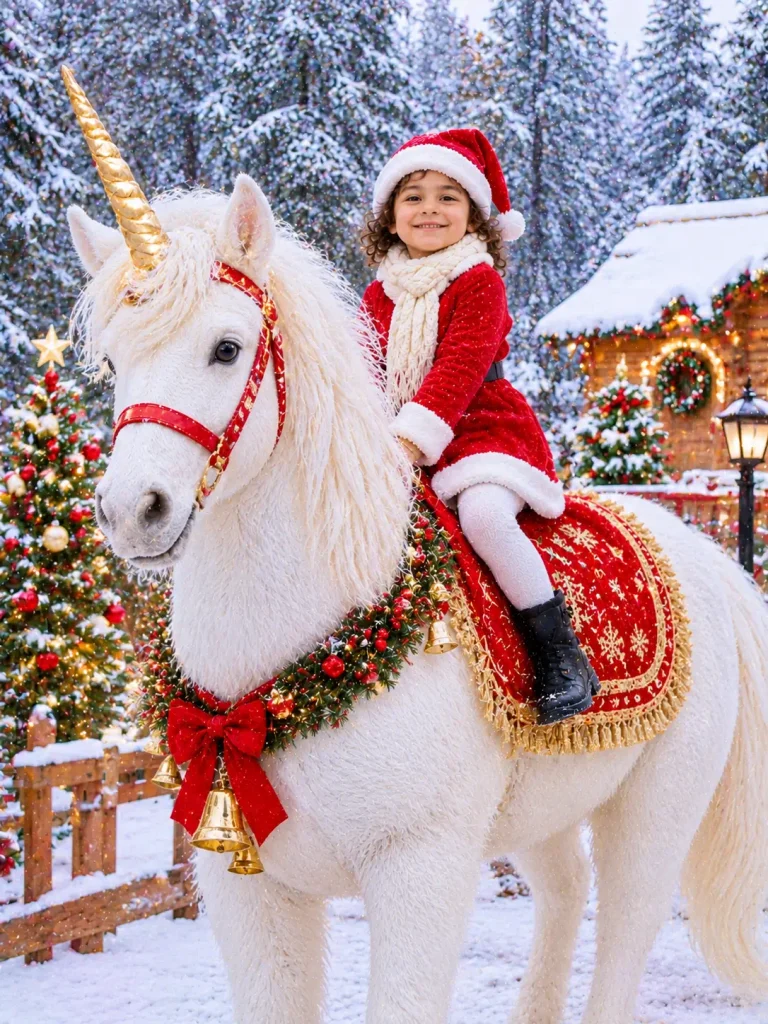
7. Magical Unicorn Christmas Ride AI Photo Prompt for Kids
PROMPT
Create an ultra-realistic 8K Christmas portrait using the uploaded girl's photo as the identity reference. Preserve her exact facial identity, face shape, eyes, nose, lips, natural skin tone, and unique features without alteration. Show her sitting gracefully on a giant beautiful white unicorn with a golden horn, wearing a cute red Santa dress with white fur borders, a cream woolen scarf, and black winter boots. Decorate the unicorn with a red festive saddle, golden bells, green garlands, and a beautiful red bow. Add a snow-covered Christmas forest, small decorated pine trees, a modest wooden cottage, a wooden fence, and simple Christmas lights. Keep the entire background sharp and clearly visible, with absolutely no background blur, no luxury setting, and no excessive lighting. Natural smile, realistic body proportions, clean photography, cozy family Christmas atmosphere. Vertical 9:16, professional DSLR photography, photorealistic, original look.
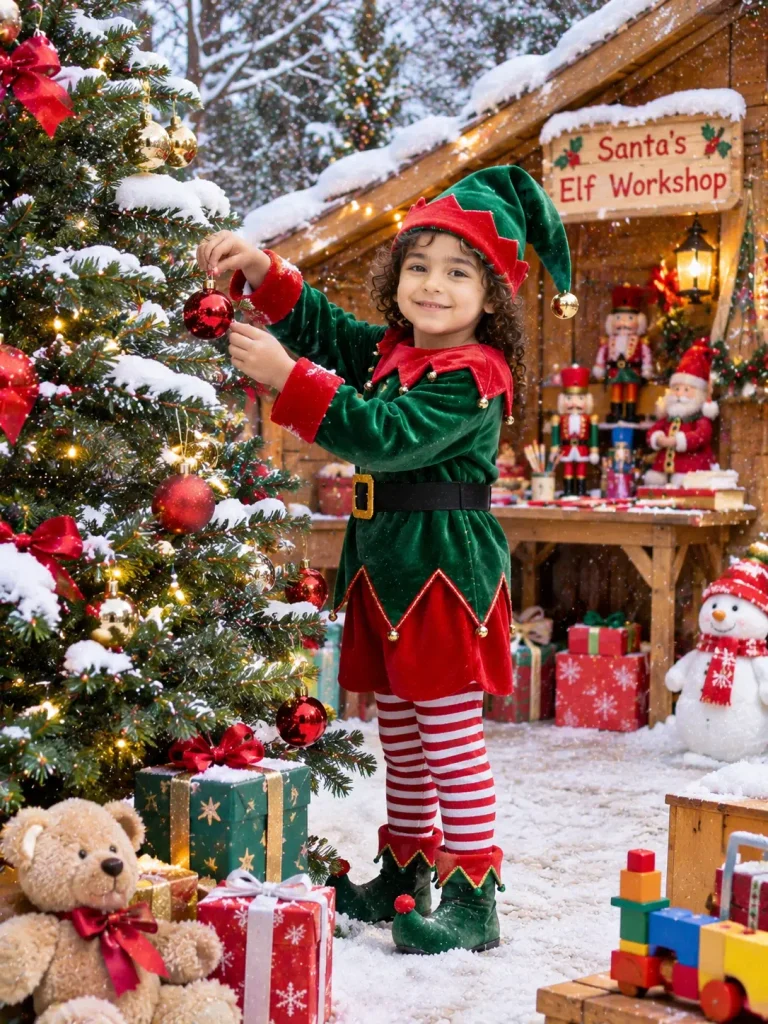
8. Little Christmas Elf Workshop AI Photo Editing Prompt for Kids
PROMPT
Create an ultra-realistic 8K Christmas portrait using the uploaded girl's photo as the identity reference. Preserve her exact facial identity, face shape, eyes, nose, lips, natural skin tone, and unique features without alteration. Show her decorating a giant beautiful Christmas tree inside a cozy Santa's Elf Workshop, wearing a cute green-and-red elf dress with golden bells, striped stockings, curled elf shoes, and a matching elf hat. She is happily placing a shiny red ornament on the tree. Add colorful wrapped gifts, teddy bears, wooden toys, candy canes, a small snowman, and a simple wooden Christmas workshop in the background. Keep everything clean, natural, and clearly visible in sharp focus, with no background blur, no luxury setting, and no excessive artificial lighting. Natural smile, realistic skin texture, warm family-friendly Christmas atmosphere. Vertical 9:16 composition, professional DSLR photography, photorealistic, original look.
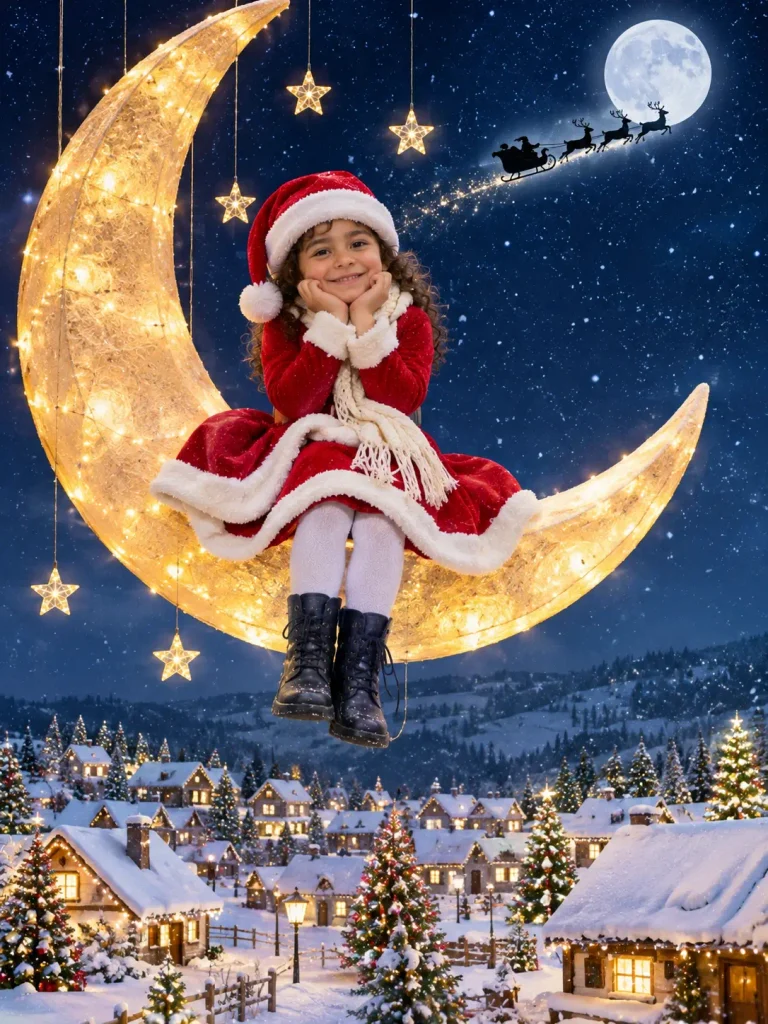
9. Moonlight Christmas Dream World Photo Prompt for Kids
PROMPT
Create an ultra-realistic 8K Christmas fantasy portrait using the uploaded girl's photo as the identity reference. Preserve her exact facial identity, face shape, eyes, nose, lips, natural skin tone, and unique features without alteration. Show her sitting gracefully on a giant glowing golden crescent moon in a starry winter sky, wearing a beautiful red Santa dress with white fur borders, a cream woolen scarf, and black winter boots. Add a charming snow-covered Christmas village below, small wooden cottages, decorated Christmas trees, glowing stars, hanging star lanterns, gentle snowfall, and Santa's sleigh flying in the distant sky. Keep the entire background sharp and clearly visible, with no background blur, no luxury buildings, and no excessive artificial lighting. Natural smile, realistic skin texture, simple cozy family Christmas atmosphere. Vertical 9:16, professional DSLR photography, photorealistic, magical and original look.
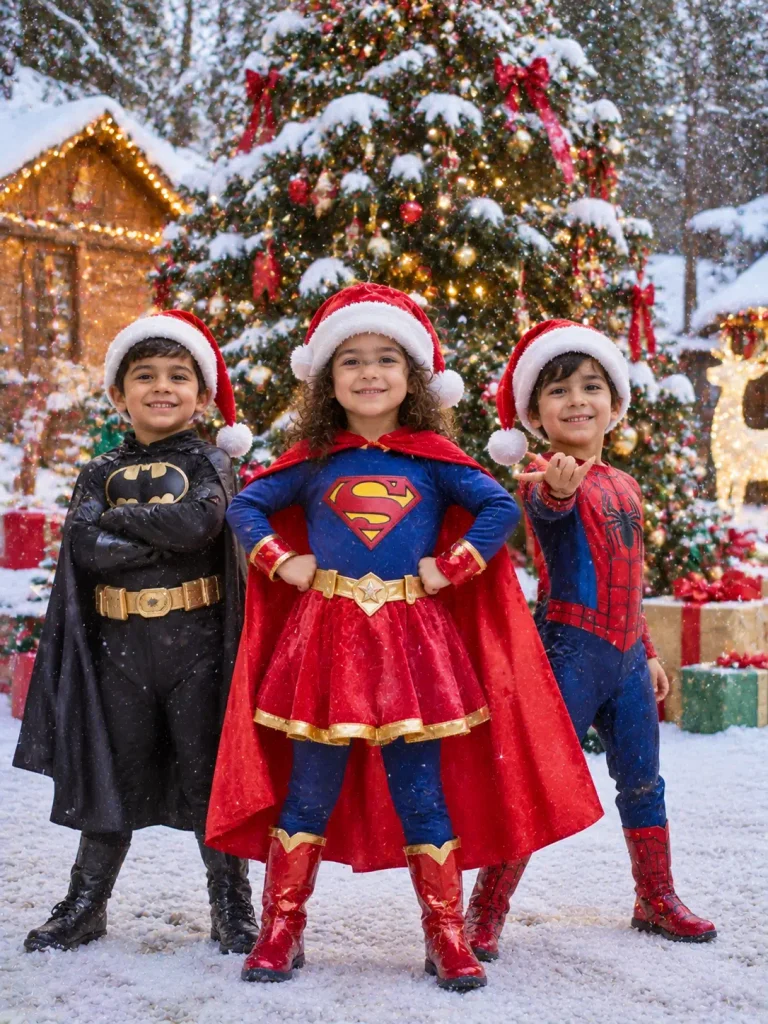
10. Little Christmas Superheroes AI Photo Editing Prompt for Kids
PROMPT
Create an ultra-realistic 8K Christmas portrait using the uploaded girl's photo as the identity reference. Preserve her exact facial identity, face shape, eyes, nose, lips, natural skin tone, and unique features without alteration. Show her standing confidently in a cute Christmas superhero outfit with a colorful red-and-blue dress, matching superhero cape, stylish boots, and a Santa hat. Give her a fun superhero pose with hands on her waist. Add a giant decorated Christmas tree, colorful gift boxes, snowy pine trees, a simple wooden cottage, and warm Christmas lights in the background. Keep the entire scene clean, natural, and sharply focused, with no background blur, no luxury setting, and no excessive artificial lighting. Natural smile, realistic skin texture, authentic Indian family-friendly atmosphere. Vertical 9:16 composition, professional DSLR photography, photorealistic, original look.
How to Create Christmas AI Photos for Kids Using Gemini
Follow these simple steps to create beautiful Christmas-themed AI photos of children using Google Gemini.
Step 1: Open Google Gemini
Visit the official Google Gemini website or open the Gemini app on your smartphone.
Step 2: Upload Your Child’s Photo
Choose a clear, high-quality photograph from your device. A front-facing picture with visible facial features can help the AI understand the reference image.
Step 3: Choose Your Favorite Christmas Prompt
Explore the 10 Christmas photo ideas in this article. Select your favorite concept, such as Giant Magical Christmas Snow Globe, Magical Unicorn Christmas Ride, or Little Christmas Superheroes.
Step 4: Copy and Paste the Prompt
Copy the complete prompt and paste it into the Gemini chat box along with the reference photo. Clearly describe the desired outfit, background, pose, and Christmas decorations.
Step 5: Generate Your Christmas Photo
Submit your instructions and wait for Gemini to generate the image. If the result does not match your expectations, adjust the prompt and try again.
Step 6: Save Your Favorite Image
Once you are happy with the result, download the generated picture to your device. You can share it with family and friends.
Helpful Tip: Use a clear reference photo and ask Gemini to preserve the child’s natural facial features. Choose safe, age-appropriate Christmas scenes with decorative lights and artificial snow instead of dangerous activities or real fire.
Frequently Asked Questions (FAQs)
How can I create Christmas AI photos for kids using Gemini?
Open Google Gemini, upload a clear picture of your child, and paste your selected Christmas photo editing prompt. Gemini will generate an image based on your reference photo and instructions.
Are Gemini AI Christmas photo prompts for kids free?
Yes, the prompts shared in this article are free to copy and try. However, Gemini’s image generation availability and usage limits may depend on your account and current plan.
Can I use my child’s original photo with these prompts?
Yes. You can upload your child’s photo as a reference image. Ask Gemini to maintain the child’s original facial features while changing the background, outfit, and Christmas environment.
How can I get realistic Christmas photos of kids?
How can I get realistic Christmas photos of kids?
Use a high-quality reference image and provide clear instructions about clothing, facial expressions, lighting, and background. Ask for natural skin texture and realistic photography details. Results may vary with each generation.